
How to Add a Bank Account in BDG Game
Follow this official guide to link your bank securely, withdraw BDG winnings, and understand how BDG Game keeps your finance data safe.
BDG Game India encrypts every sensitive field you submit and processes withdrawals only through verified payment gateways. Key protections include:
- End-to-end encryption and tokenized transactions.
- Secure OTP verification when adding or editing payout methods.
- Compliance with Indian data regulations and routine application audits.
- Fraud monitoring that flags unusual login locations or large withdrawals.
Tip: Always add accounts from the official BDG Game app or bdggame-india.in. Ignore links shared by unknown agents.
Step-by-Step: Add Bank Account & Withdraw
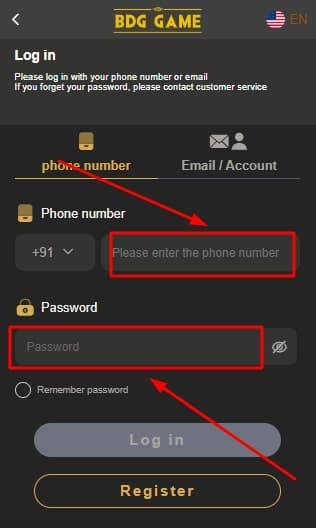
Login to BDG Game
Open the BDG Game app or visit the official website, then sign in using your verified mobile number and password or OTP.
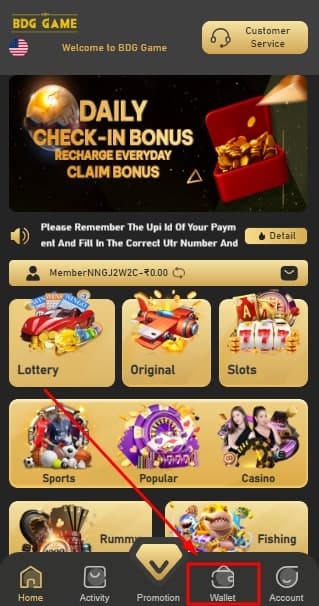
Open the Wallet Section
Tap the wallet icon on the home screen to display deposit, withdraw, and rewards options tied to your BDG balance.
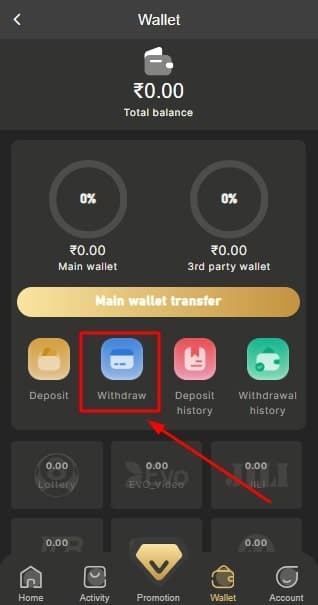
Tap Withdraw
Select the Withdraw option to view linked payout methods and start the process of adding a secure bank account.
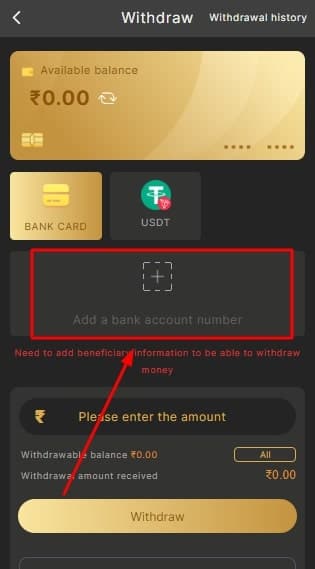
Click Add Bank Account
Press the Add Bank Account button to open the protected form where you will enter verified account details.
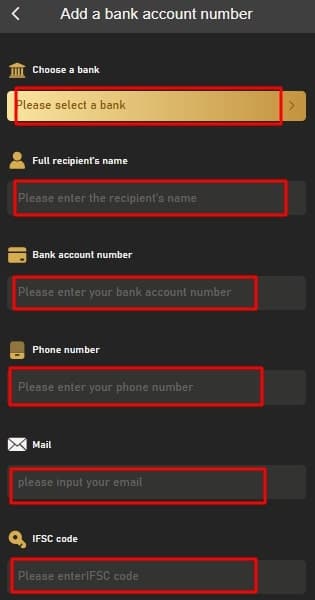
Fill Accurate Bank Information
Enter the bank name, account holder name, account number, IFSC code, and optional nickname. Double-check every character before saving.
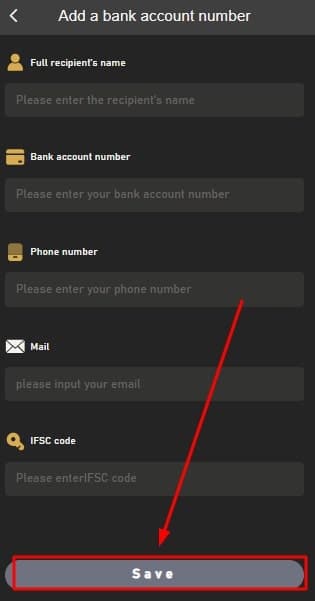
Save & Verify
Tap Save to submit. Most accounts appear within a few minutes; BDG security may request OTP verification for new devices.
- Confirm the URL shows bdggame-india.in.
- Use private Wi-Fi or mobile data, not public hotspots.
- Update to the latest BDG Game APK for new encryption patches.
- Never share bank screenshots in public chat rooms.
- Enable device lock or biometrics to protect your account.
- Contact BDG Help immediately if you notice unrecognized withdrawals.
Frequently Asked Questions
Is it safe to add my bank account to BDG Game India?
Yes. We use encrypted transmissions, secure payment gateways, and compliance audits. Never share OTPs or screenshots with unverified users.
What details do I need?
Have your bank name, account holder name, account number, IFSC code, and branch nickname ready before starting the process.
How much can I withdraw?
Minimum withdrawal typically starts around ₹100 and can go higher depending on your verification status and daily settlement limits.
How long do withdrawals take?
Standard bank transfers reflect within minutes to a few hours. Delays may happen on bank holidays or during security checks.
What if my bank rejects the payout?
Recheck the account number and IFSC. If still pending, contact BDG Help on Telegram with your transaction ID for manual review.